
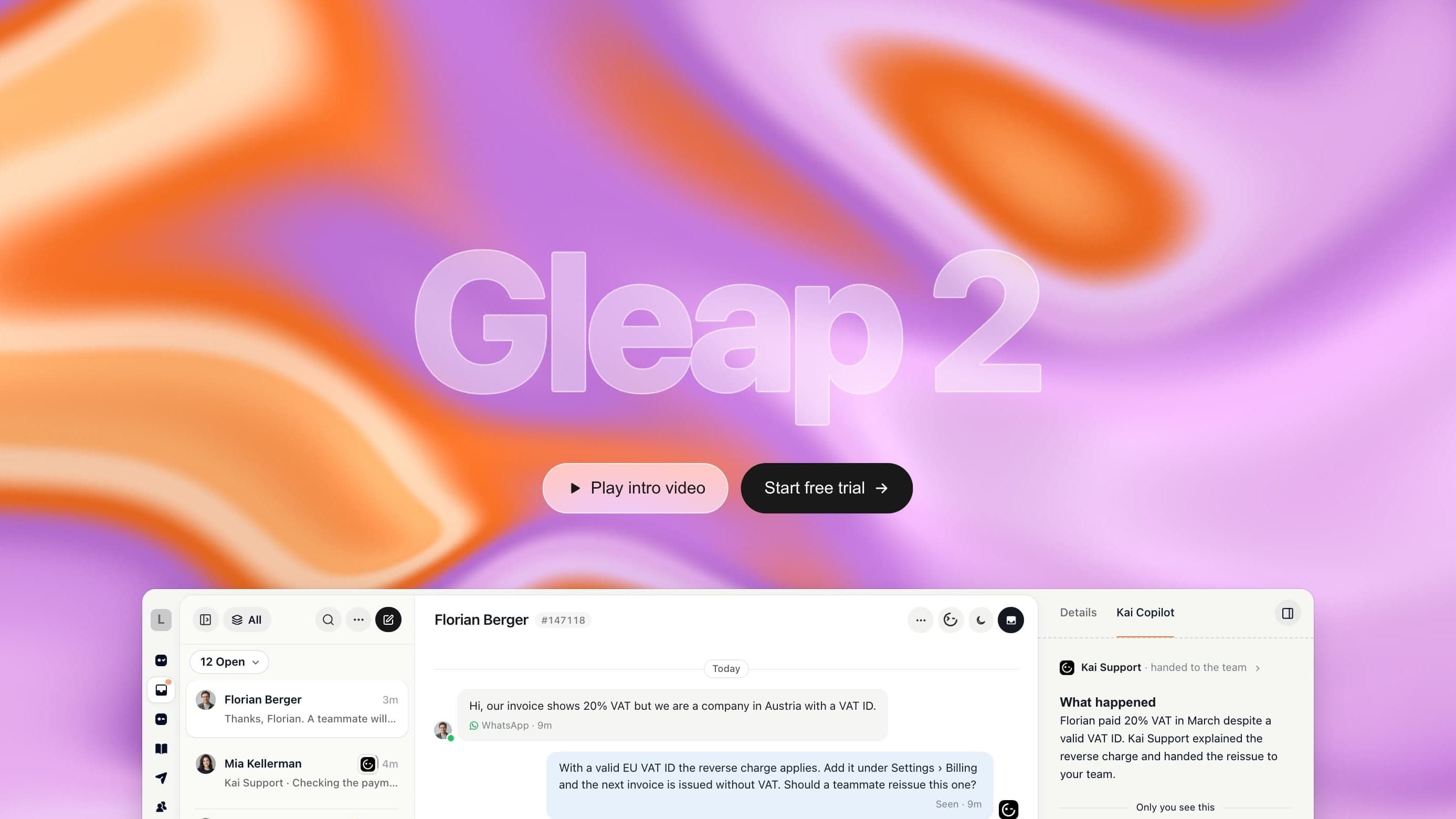
Oct 28, 2026
Live in minutes, Gleap 2 answers most of your customers' conversations on every channel, hands the hard ones to your team with the full context, and gets better every week.
Kai solves 85%+ of your conversations. 7 sec median time to Kai's first answer · under $0.05* per resolution, while Fin charges $0.99.
Most conversations resolved, day and night. One agent that answers and investigates.
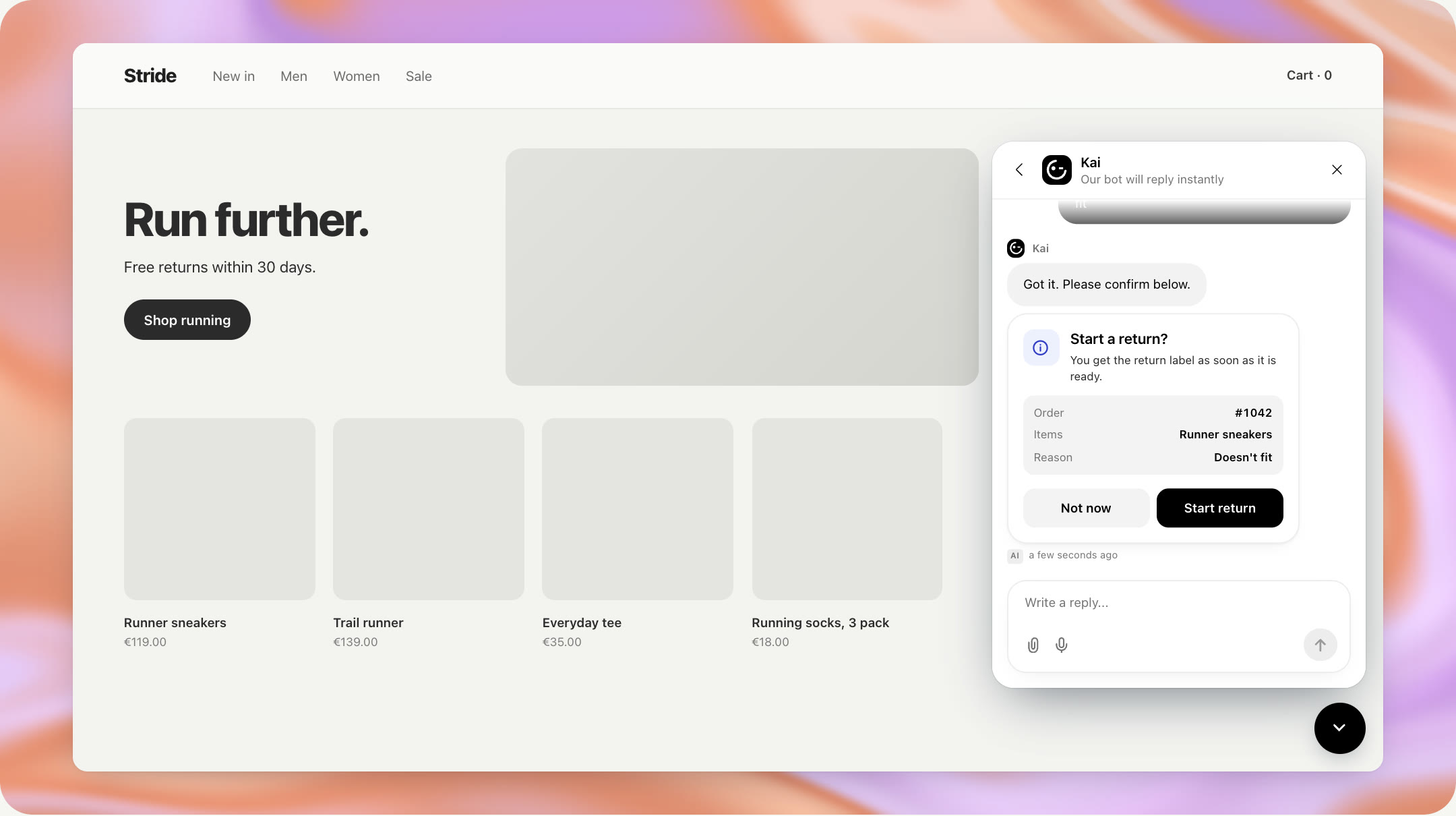
Answers on every channel: chat, email, WhatsApp and the phone, from your help center, website and tools, with sources.
Investigates the hard tickets: logs, replays, account data and your code, then an answer or a diagnosis for your team. From Team.
Skills: teach a job once: describe it in a sentence, test it on past conversations, publish it for everyone.
Every call answered. Kai Support on the phone. Add a number under Settings › Phone, or turn on Live voice calls in Kai Support's settings for calls from the widget.
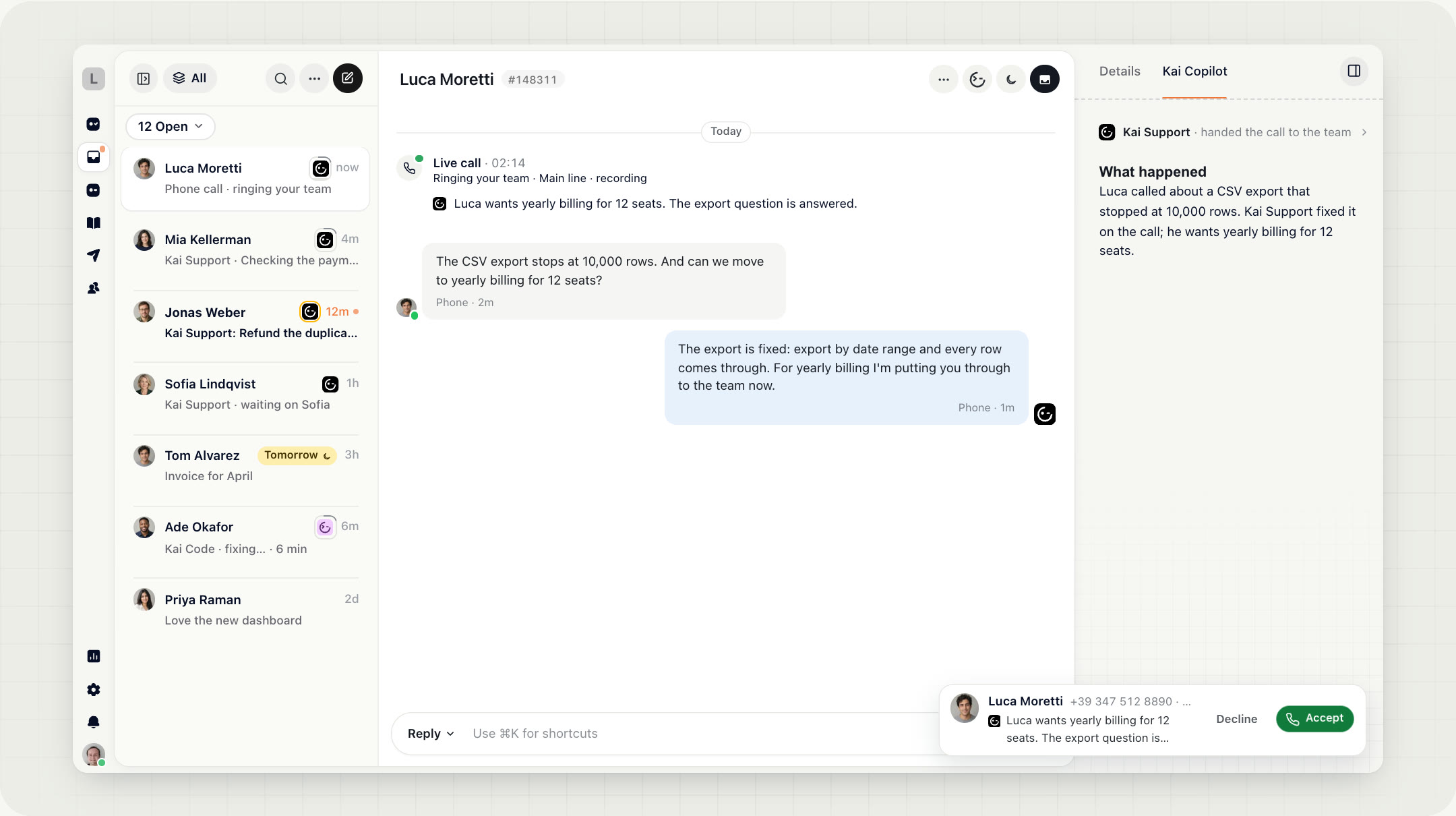
Your line or the widget: get a number or forward yours; customers can also call Kai straight from the widget.
Hands calls to your team: it rings your team in the browser with a summary. Every call becomes a ticket.
$0.15 a minute: from Team, paid from your AI balance.
Answers from your code, from minute 0. Kai knows how your product really works. In our tests, 600,000 lines were indexed in about three minutes.
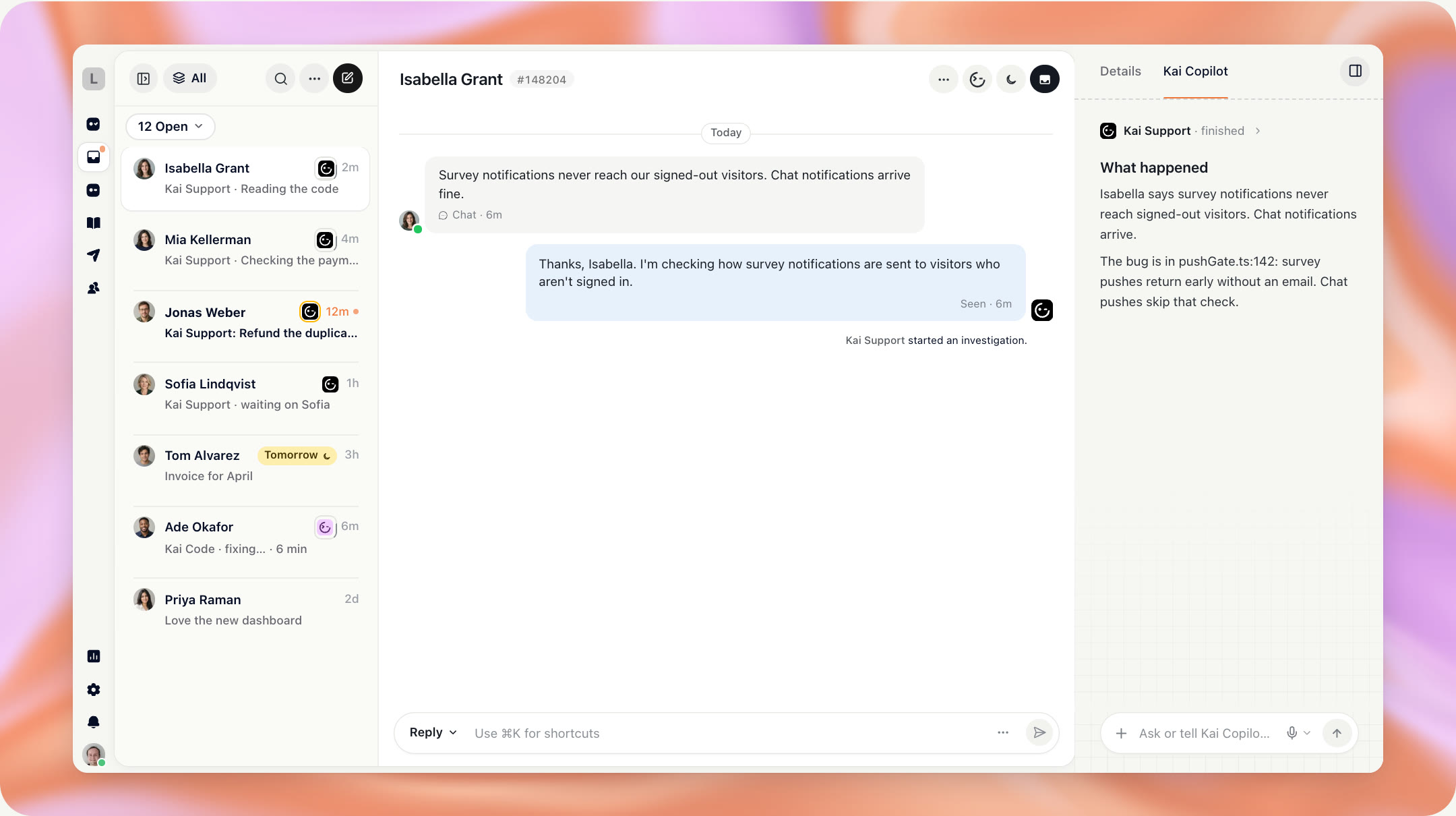
Indexed on every push: GitHub…
Oct 20, 2026
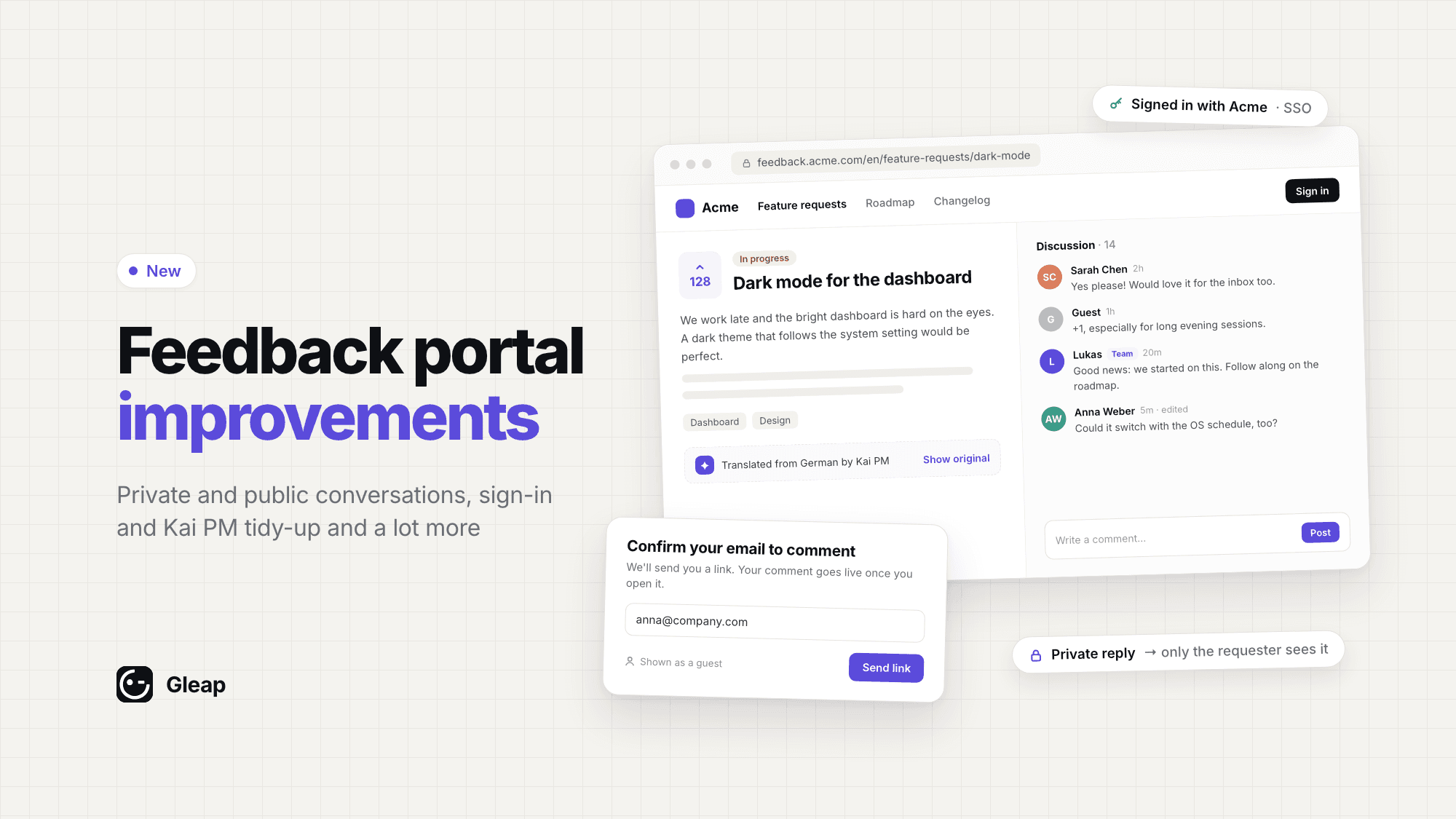
Feature requests now keep the requester's thread private, Kai PM cleans up new requests before you see them, and your users can sign in to the portal with the account they already have.
 Private and public chats strictly separated
Every feature request now has a cleaner separation of conversations: a private thread with the person who requested it, and a public discussion on your portal. In the inbox, pick Reply to requester or Public reply. Public replies are emailed to everyone who upvoted. Replies to the requester stay between you and them.
 A cleaner request view, on every screen
Details and discussion now sit side by side, so comments get much more room. Every request has its own page and link you can share anywhere, and the whole portal got a big update for phones.
 Kai PM tidies up new requests
Another language? Kai translates the request into your portal's language.
The whole idea in the title? Kai turns it into a short title and a proper description.
The original is always one click away with Show original, and Kai still answers the customer in the language they wrote in.
See what Kai does when a request arrives →
 Built for your phone
The portal got a big mobile update. Browsing requests, reading the roadmap and joining the discussion now feel just as good on a phone as on a laptop.
 Comments you can trust
Visitors confirm their email once before their first…
Oct 18, 2026
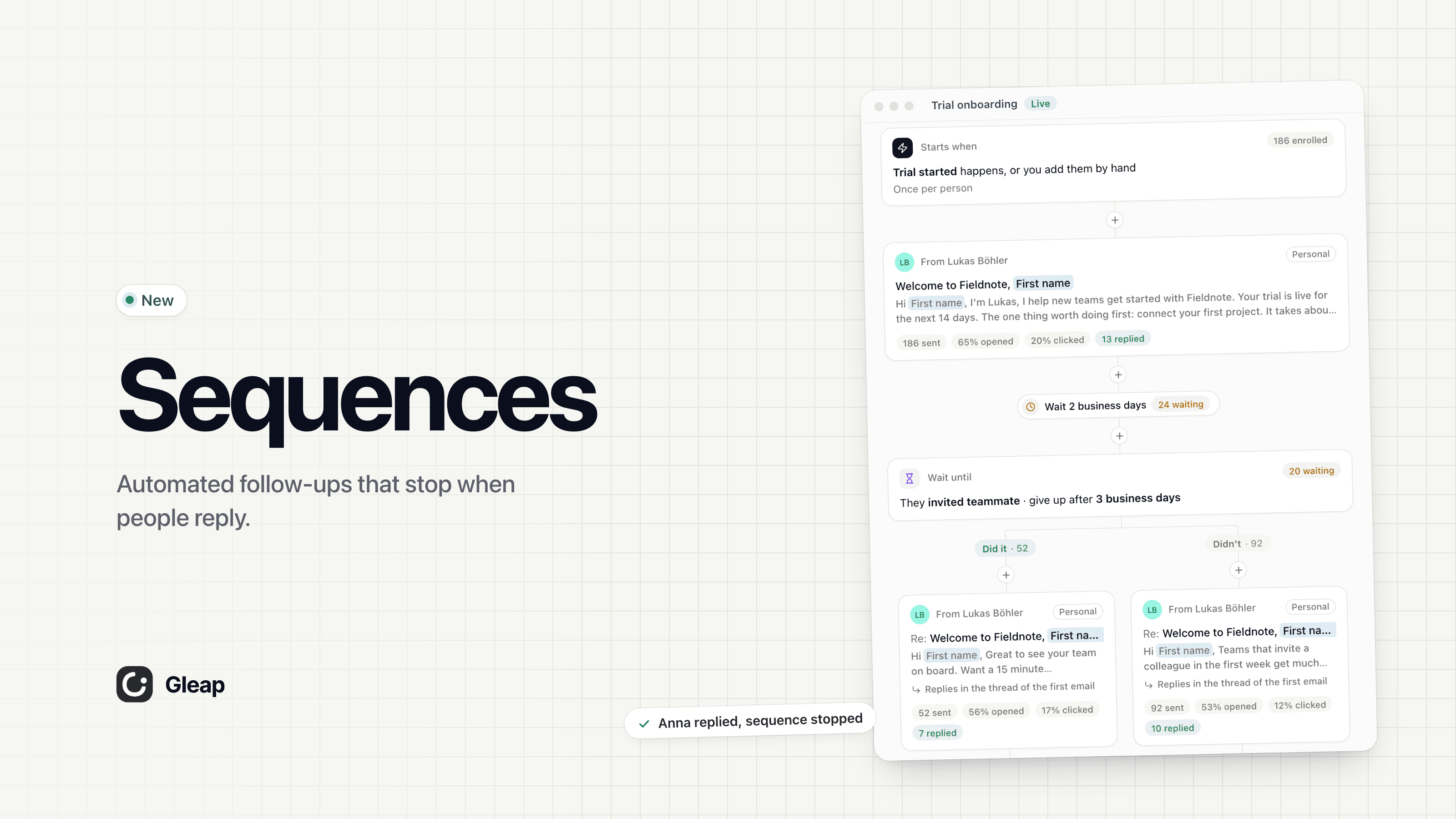
Sequences now reach people on every channel, branch on how they engage with your emails, and keep going when someone replies.
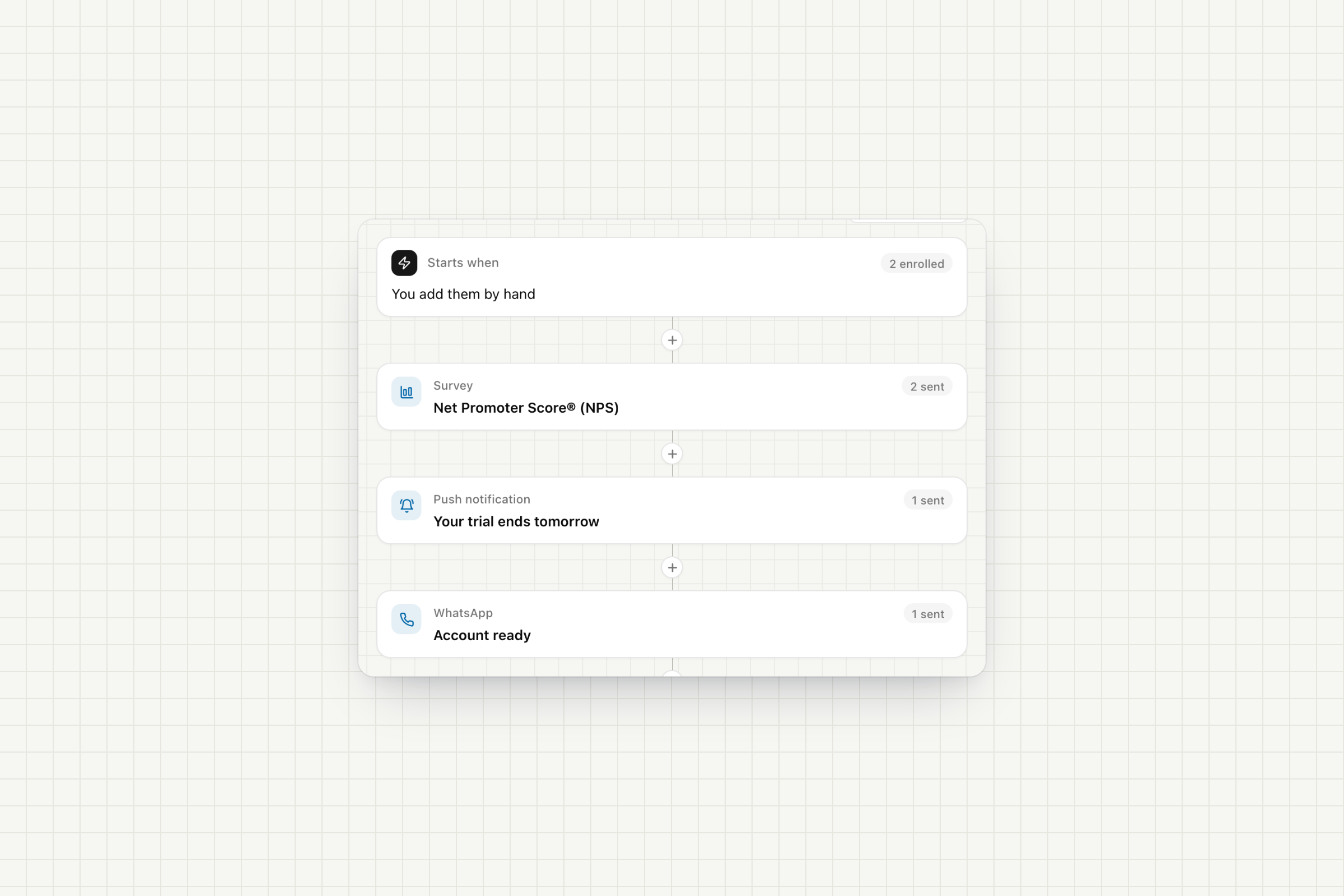
Three new steps in the + menu. Each one sends a message you already have in Outreach.
Survey: shows one of your surveys in your app or website. A draft survey works: only the people this step sends it to see it.
Push notification: sends one of your push notifications to people who use your mobile app. People without the app skip the step.
WhatsApp: sends one of your approved WhatsApp templates to the phone number on the contact. Contacts without a phone number skip the step.
Chat messages and surveys can wait until the person is active in your app, up to a time you choose. If they don't show up, Gleap sends a fallback email with its own subject instead, or skips the step.
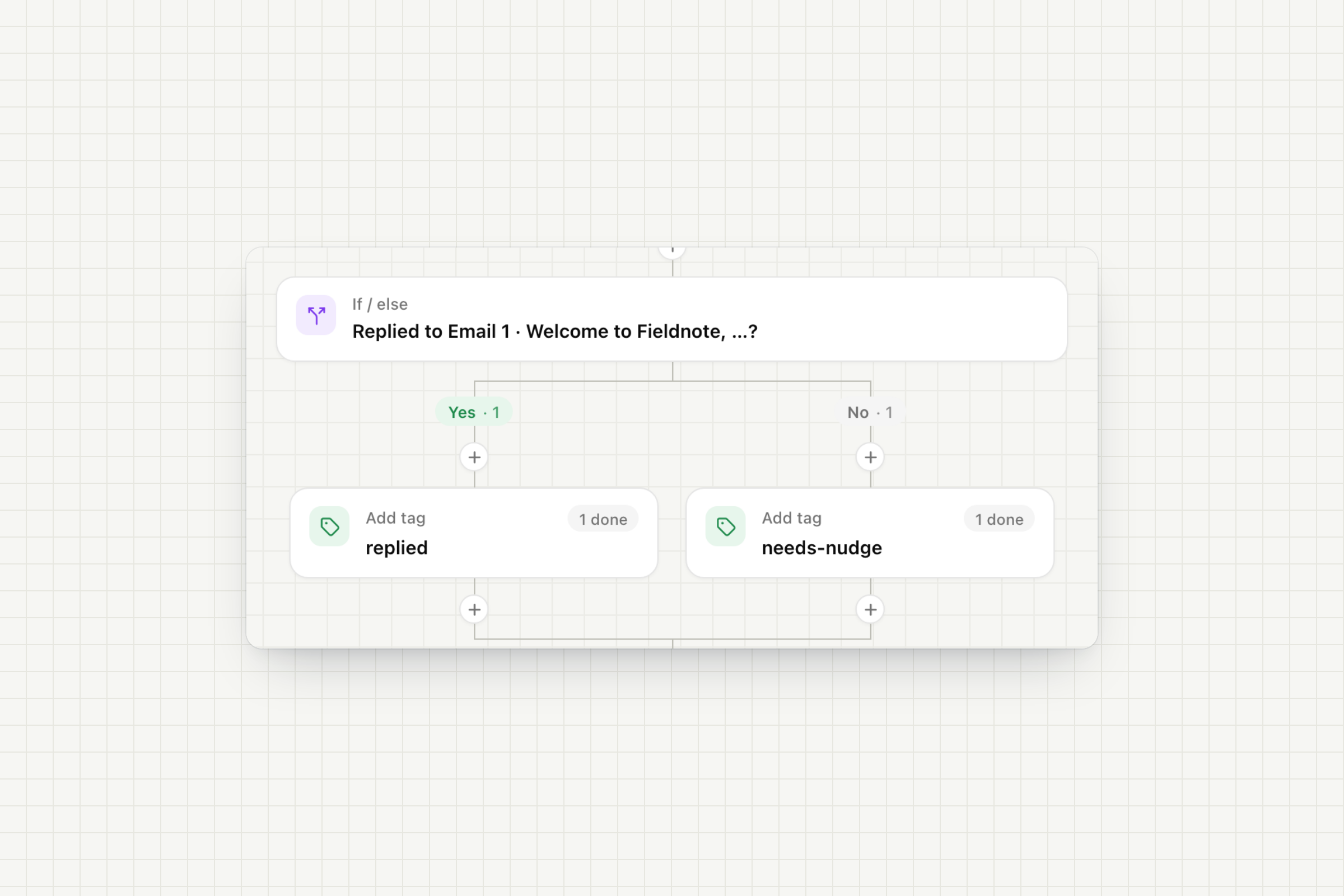
An If / else can now check email engagement: whether someone opened, clicked a link in or replied to one email, or any email so far. Put a wait before it to give people time. Opens and clicks are tracked for the Personal and Company looks.
A reply no longer ends a sequence by default. It lands in your inbox, counts in the results and can drive an If / else, and the person keeps getting the next steps.
Stop on…
Oct 17, 2026
Sequences are live. Send a series of emails and chat messages that follow up on their own, wait for the right moment, take a different path depending on what people do, and stop when they reach your goal. Write each email yourself, or let Kai write it for each person. Use them for onboarding, trial conversion, renewals and every follow-up your team sends by hand today.
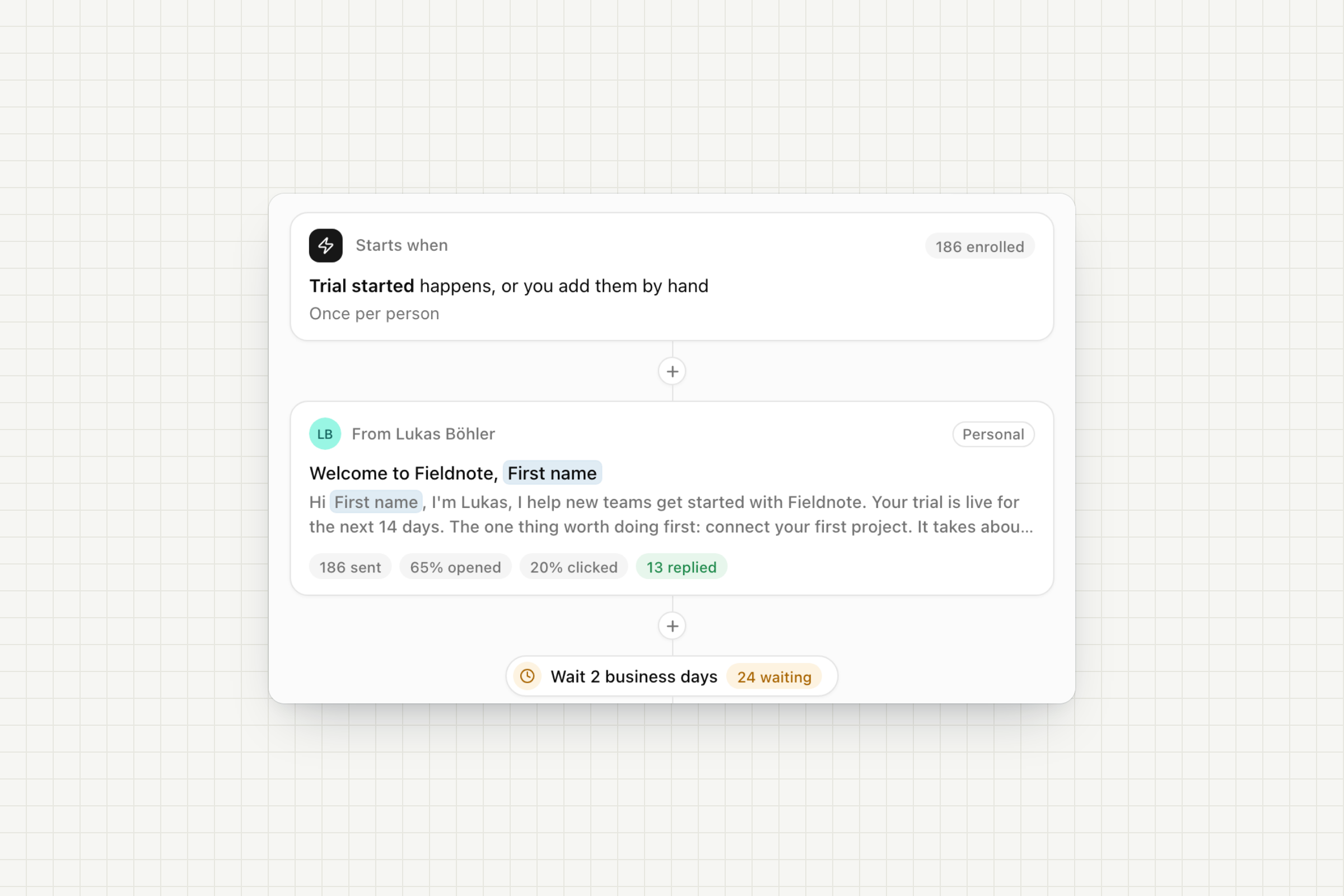
Every sequence reads top to bottom. Click + between two steps to add the next one. Each step explains what it does before you add it.
Emails: from you or a teammate, in the Plain, Personal or Company look. Follow-ups reply in the same thread, so the whole sequence reads like one conversation.
Chat messages: start a conversation in your widget from a teammate. If they don't see it, Gleap emails it to them.
Waits: minutes, hours, days or business days. A Friday email with a 2 business day wait is followed up on Tuesday.
Actions: add or remove a tag, update contact data, add the contact to a pipeline, start another sequence or end the sequence at that point.
Templates: start from Onboarding, Trial conversion or Win back, or from scratch.
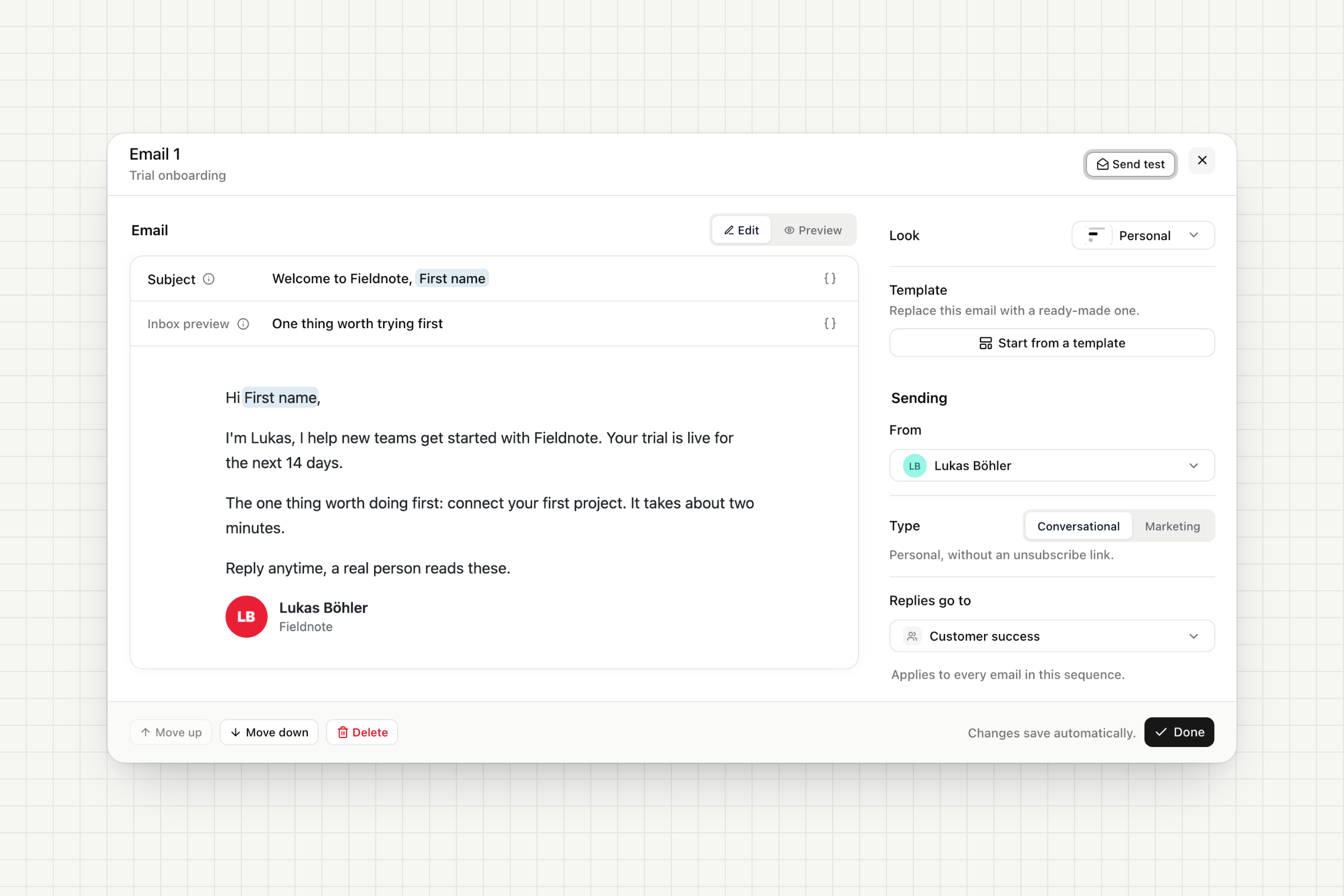
Emails open in the same composer you know from Outreach emails.
Personal variables: insert the first name or any contact field as a chip, with a fallback for people who don't have one.
Templates and…
Oct 8, 2026
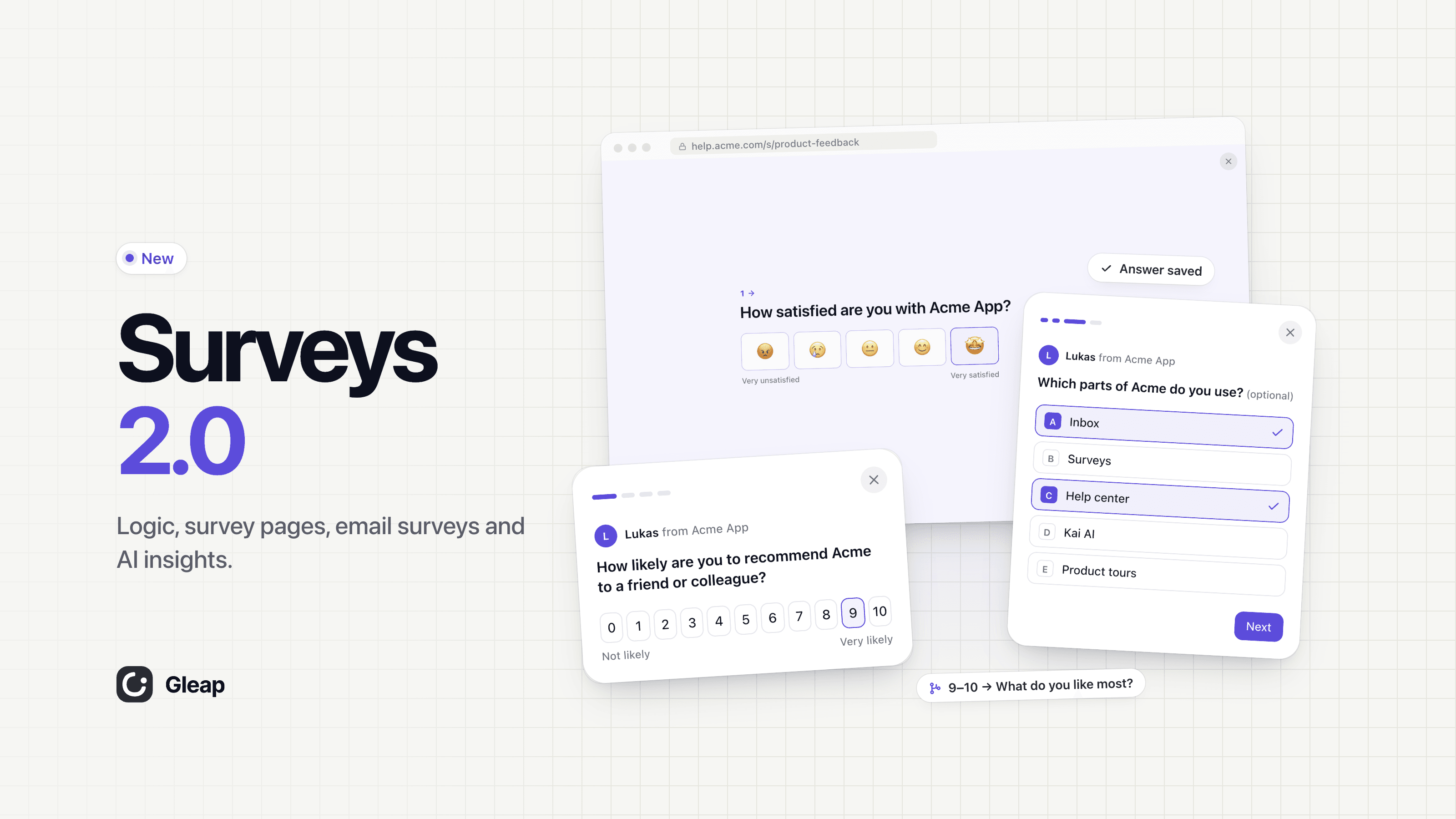
Surveys 2.0 is live. We rebuilt surveys from the ground up: a new editor, logic that sends every answer down the right path, a survey page on your own domain, email surveys and results that read the answers for you.
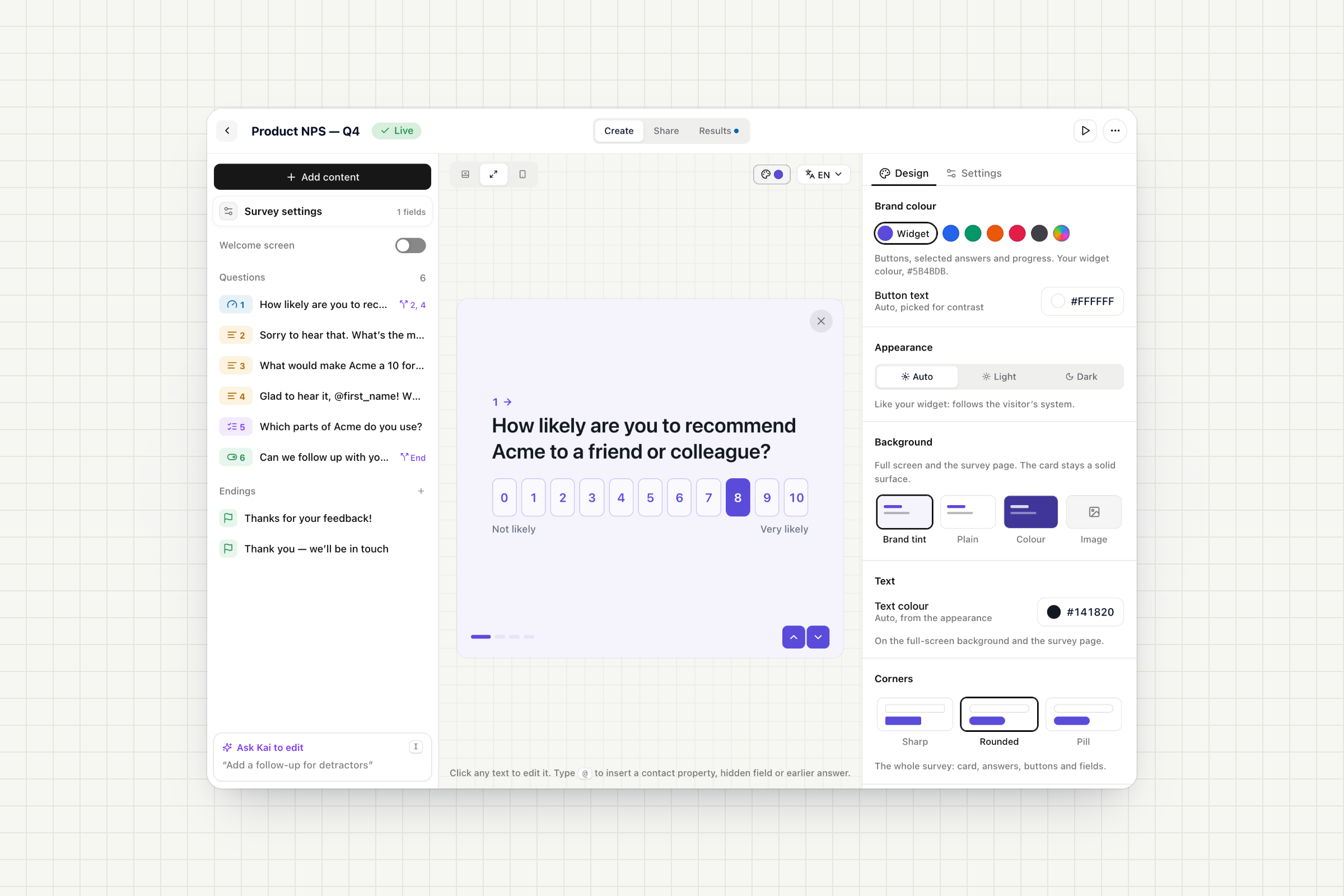
Click any title, choice or label in the preview and start typing. Switch between card, full screen and mobile to see exactly what people will see.
15 question types: NPS, CSAT, star rating, custom scale, single and multiple choice, yes/no, short and long text, email, number, date, file upload, statement and consent.
Welcome screen and endings: open with a welcome screen and finish with as many thank-you screens as you need, each with its own button, redirect or contact tag.
Design per survey: brand colour, light or dark, a tinted, coloured or image background, sharp, rounded or pill corners, and your logo.
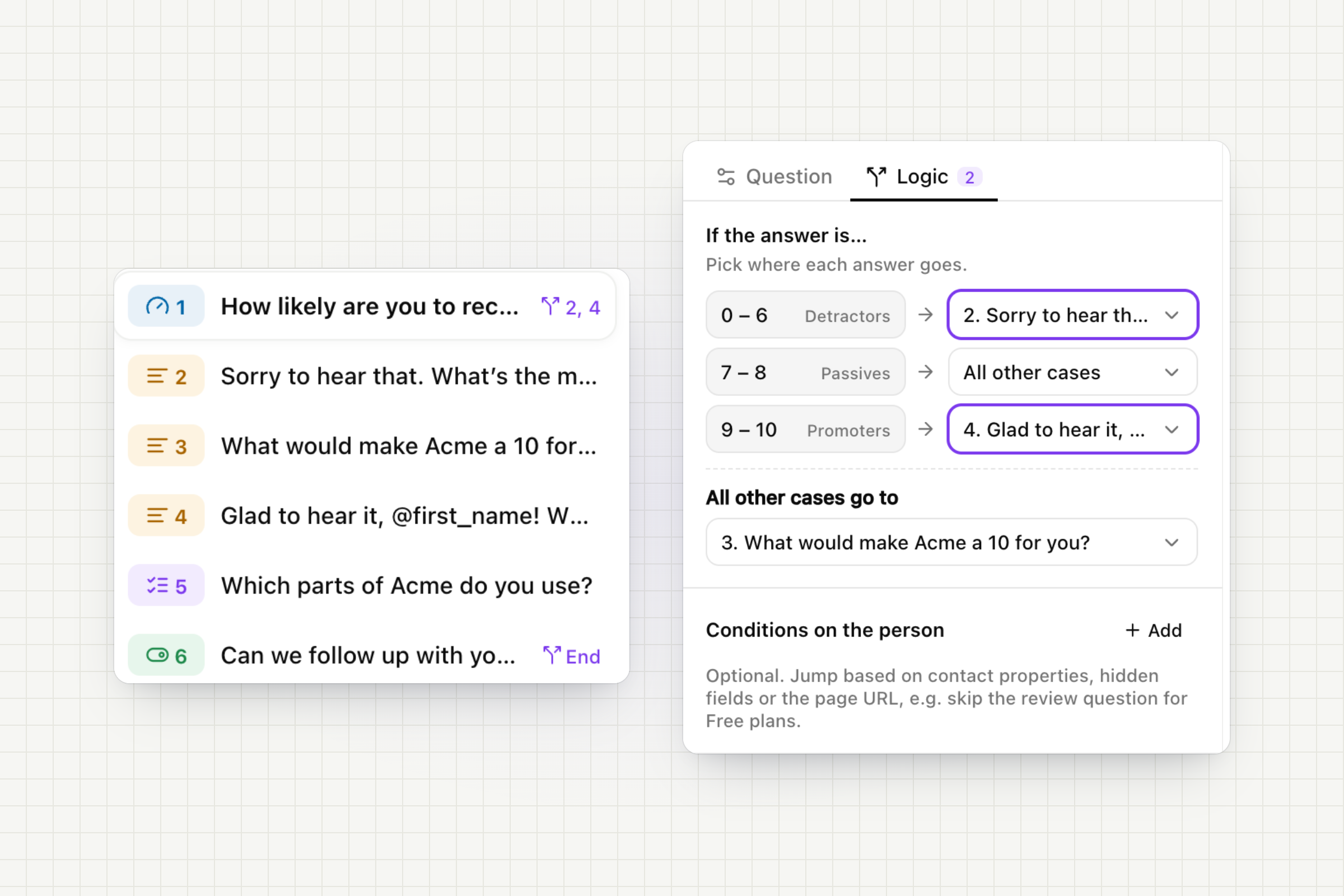
Send every answer where it belongs.
Go to, per answer: NPS 0–6, 7–8 and 9–10, each choice, or Yes and No can jump to a later question or straight to an ending.
Conditions on the person: branch on contact properties like the plan, on hidden fields or on the page URL.
Personal questions: type @ to insert a contact property, a hidden field or an earlier answer. "Glad to hear it, Anna!"
Safe to publish: before you publish, Gleap checks that every question can be reached and every path ends.

Oct 7, 2026
We rebuilt email in Gleap from the ground up. Newsletters, automated emails and support replies now look like they were written by a person, land in the right tab, and stay in one thread.
Plain reads like an email from Gmail, best for replies and the Primary tab. Personal adds light styling, buttons and images, signed by a teammate. Company brings your logo, a content card and a full footer for newsletters. All three are tested in Gmail, Apple Mail and Outlook, including dark mode.
The editor now renders your email exactly as your readers will see it. Pick a look from the sidebar, write, and the preview, the test email and the real send all match.
Newsletters go out once to a segment, a contact list or a CSV.
Automated emails are sent when something happens: signup, day 3, an event, a limit reached.
Kai-written emails: write a prompt once and Kai writes each person their own email from your data. You review the first ones before they go out.
Every outreach type now starts from a set of ready-to-use starters, from a welcome email to a maintenance banner or a first-run product tour.
Replies from your team and from Kai now stay in the customer's existing email thread, show the teammate's name and signature, and include the conversation history only when it…
Sep 29, 2026
Claude Sonnet 5.5 is now available in Gleap. Select it for Kai, for your AI agents, or for Kai Code sessions in Gleap Cloud.
Fast and cost-efficient: A strong fit for everyday support answers and focused coding tasks.
Large context: Works with long conversations and big codebases.
Same price as Claude Sonnet 5: A newer model at no extra cost.
Claude Sonnet 5.5 replaces Claude Sonnet 5 in the model selector. Agents and sessions already set to Claude Sonnet 5 keep working, and you can switch them whenever you like.
Find Claude Sonnet 5.5 in Gleap’s model selector.

Sep 23, 2026
GPT-6 Astra, GPT-6 Sol, GPT-6 Luna and Claude Opus 5.5 are now available in Gleap. Select them for Kai or for Kai Code sessions in Gleap Cloud.
Claude Opus 5.5: For long, multi-step coding sessions.
GPT-6 Astra: For complex reasoning and coding tasks.
GPT-6 Sol: For demanding work with a balance of capability and cost.
GPT-6 Luna: For repeatable, high-volume work.
New Kai Code Cloud sessions now start with Claude Opus 5.5. You can choose another supported model when the task calls for it. Kai Code prepares the plan, code changes and pull request for your engineers to review and ship.
Find the new models in Gleap’s model selector.

Sep 20, 2026
Your data. Your region. EU and US hosting is here.
You can now choose between EU and US data centers when creating your Gleap account, giving your team more control over where your customer content is hosted.
EU: Frankfurt, Germany
US: New York, United States
Your customer databases, uploaded files, and backups stay in your selected region. Choose your region at signup, then connect your SDKs and integrations using the matching regional endpoints.
Already using Gleap and considering a different region? Get in touch to discuss your existing account before making changes.
Sep 14, 2026
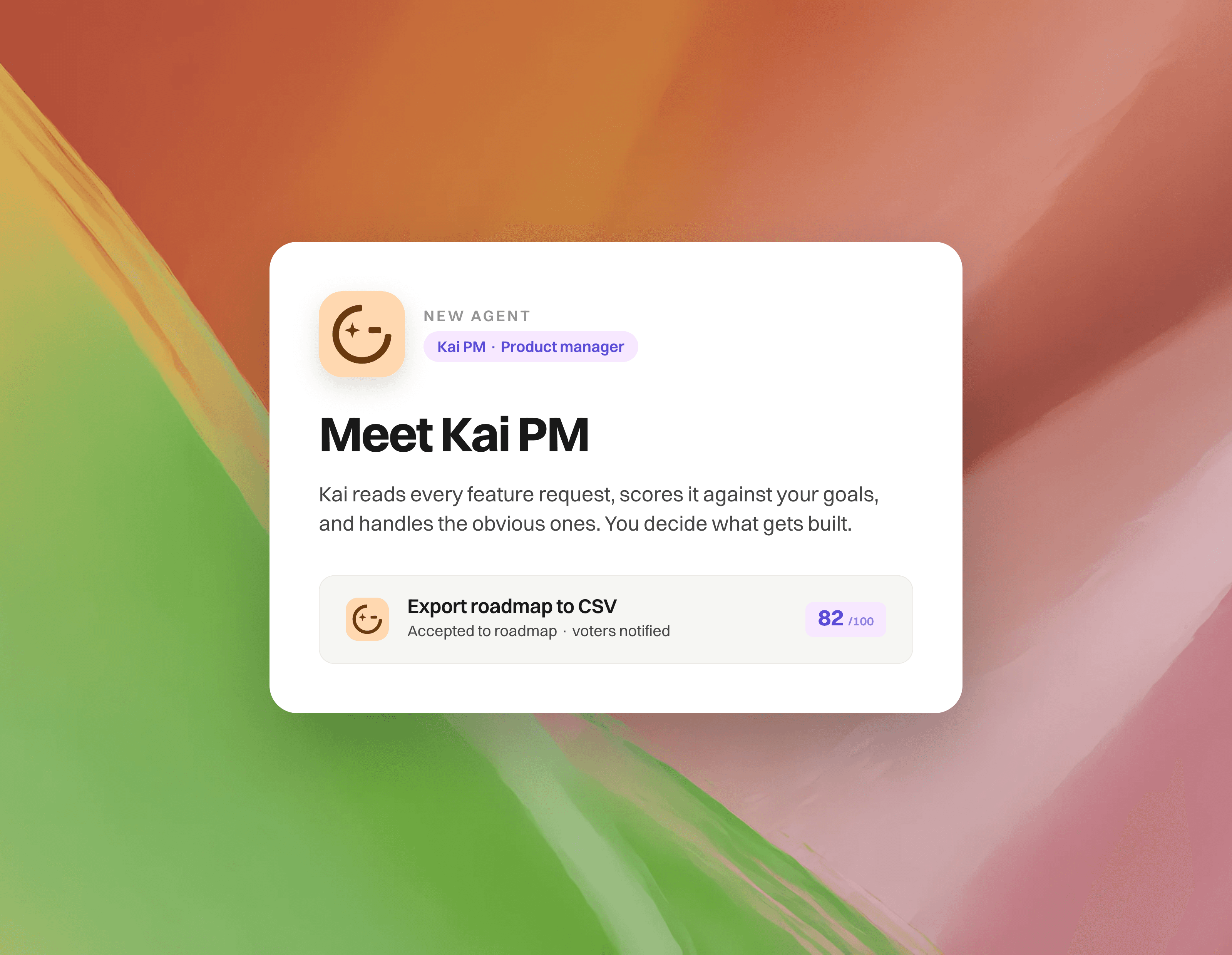
Feature requests used to wait for you. Now Kai reads them first, scores them, and handles the obvious ones. You decide what gets built.
Kai knows where you're headed. During setup, Kai analyses your company: your website, positioning, target audience, competitors and goals. You review and correct the profile, and from then on every request is judged against the road you actually want to take, not a generic rubric.
Scores with reasons. Every open request gets a 0 to 100 score from votes, revenue behind the voters, fit with your goals and effort. Each factor is visible on the request, and you can override any of them.
Let Kai decide. Kai accepts reasonable requests onto your public roadmap and declines out-of-scope ones, with a reply to the customer in their language. Steer it with plain-language rules. Every decision is logged and reversible.
Better requests on arrival. Kai asks the customer for missing details, merges clear duplicates with their votes, and tells them when the feature already exists.
A new overview. Your roadmap lanes as stages, with red counts for anything that needs a person. Move a request to Released and Gleap offers to tell everyone who voted.
Ask your roadmap. The Kai PM chat answers questions like "what are enterprise accounts asking for?" and can find duplicates, re-score or bulk-update requests. It shows you what it will do before doing it.
Activity. One page with every decision and score change Kai made, filterable, with unread tracking.