Changelogs
Stay up to date with the latest changes and enhancements.
Stay up to date with the latest changes and enhancements.

17. Oct 2026
Share
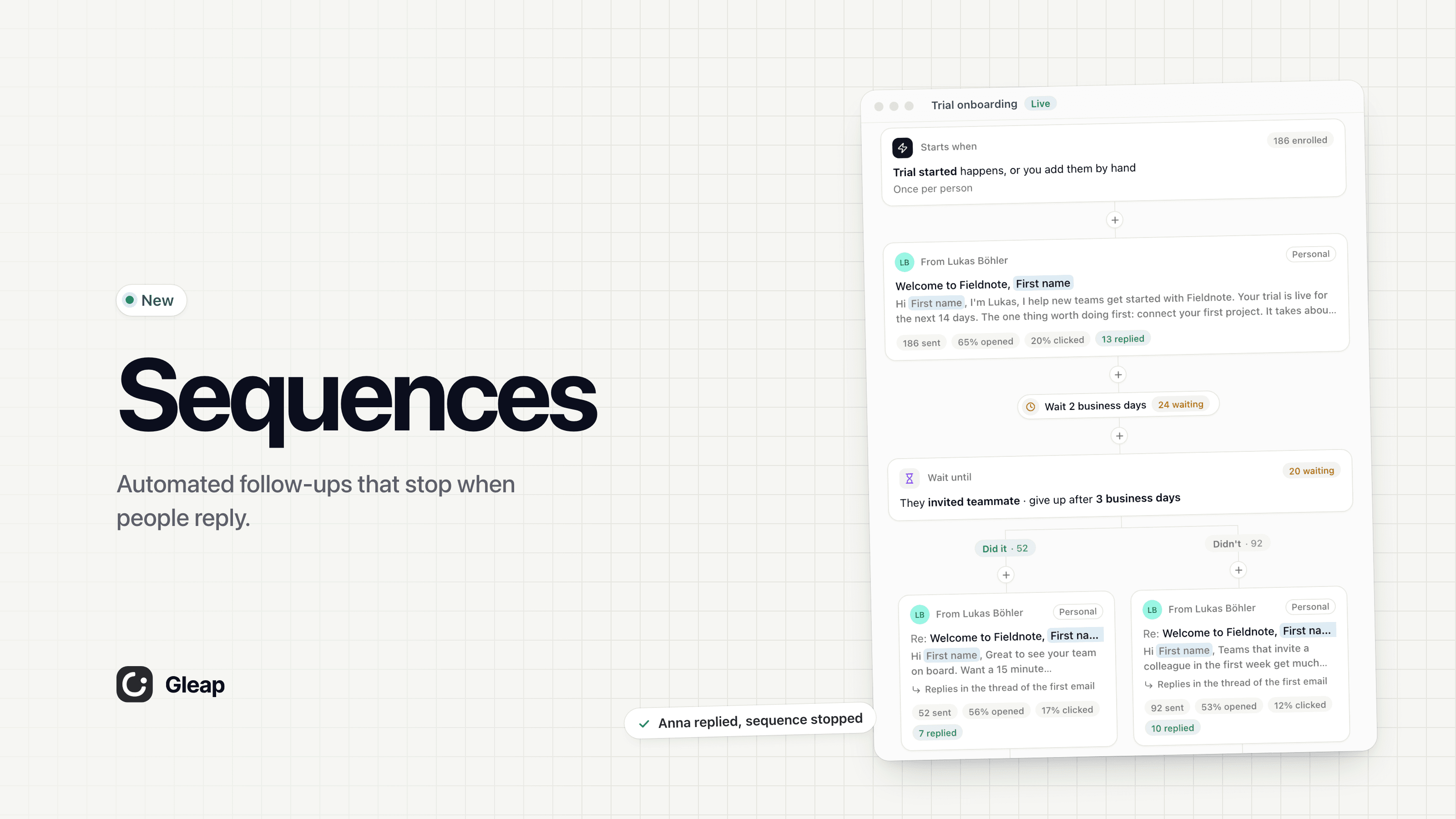
Sequences are live. Send a series of emails and chat messages that follow up on their own, wait for the right moment, take a different path depending on what people do, and stop the moment someone replies. Write each email yourself, or let Kai write it for each person. Use them for onboarding, trial conversion, renewals and every follow-up your team sends by hand today.
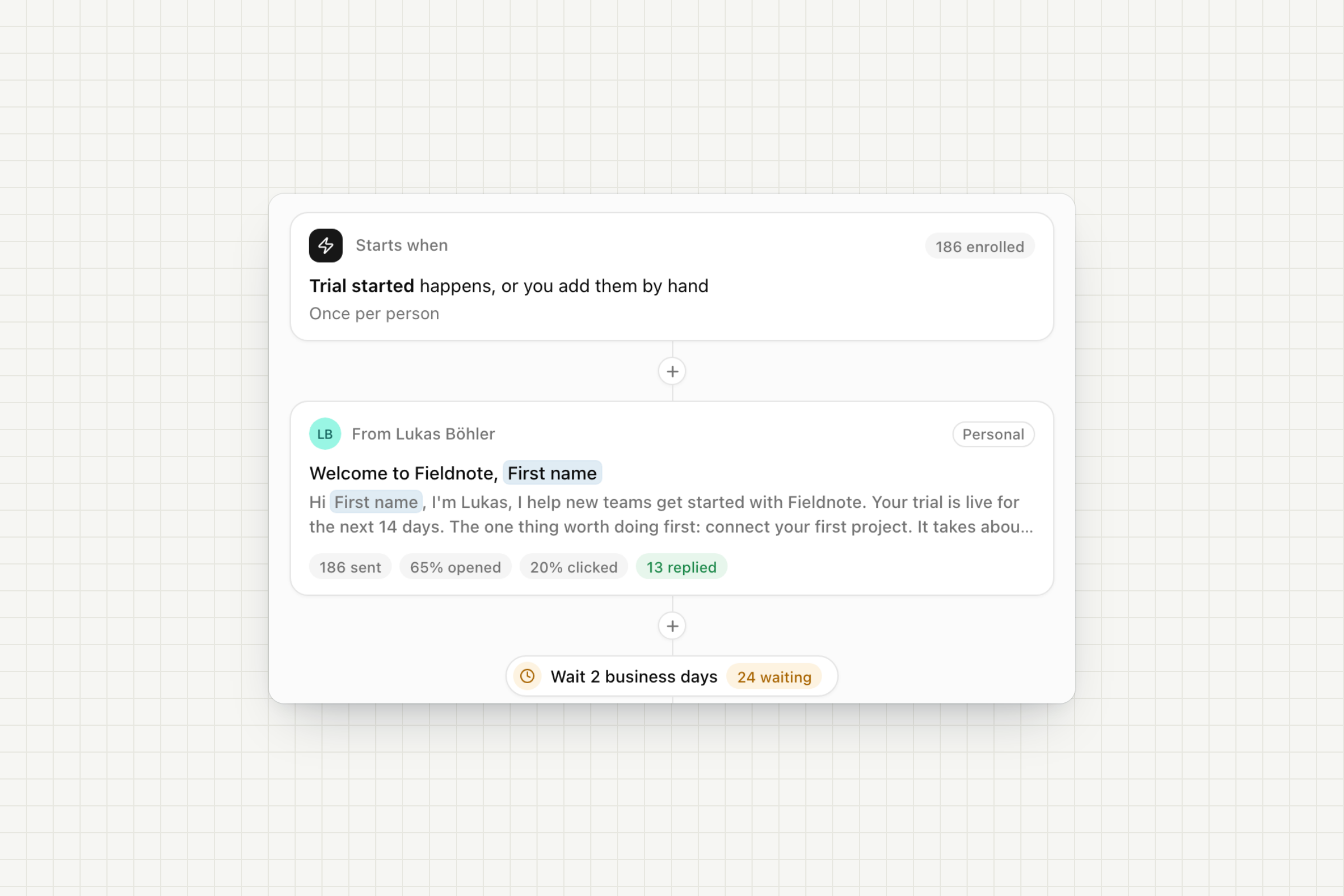
Every sequence reads top to bottom. Click + between two steps to add the next one. Each step explains what it does before you add it.
Emails: from you or a teammate, in the Plain, Personal or Company look. Follow-ups reply in the same thread, so the whole sequence reads like one conversation.
Chat messages: start a conversation in your widget from a teammate. If they don't see it, Gleap emails it to them.
Waits: minutes, hours, days or business days. A Friday email with a 2 business day wait is followed up on Tuesday.
Actions: add or remove a tag, update contact data, add the contact to a pipeline, start another sequence or end the sequence at that point.
Templates: start from Onboarding, Trial conversion or Re-engagement, or from a blank sequence.
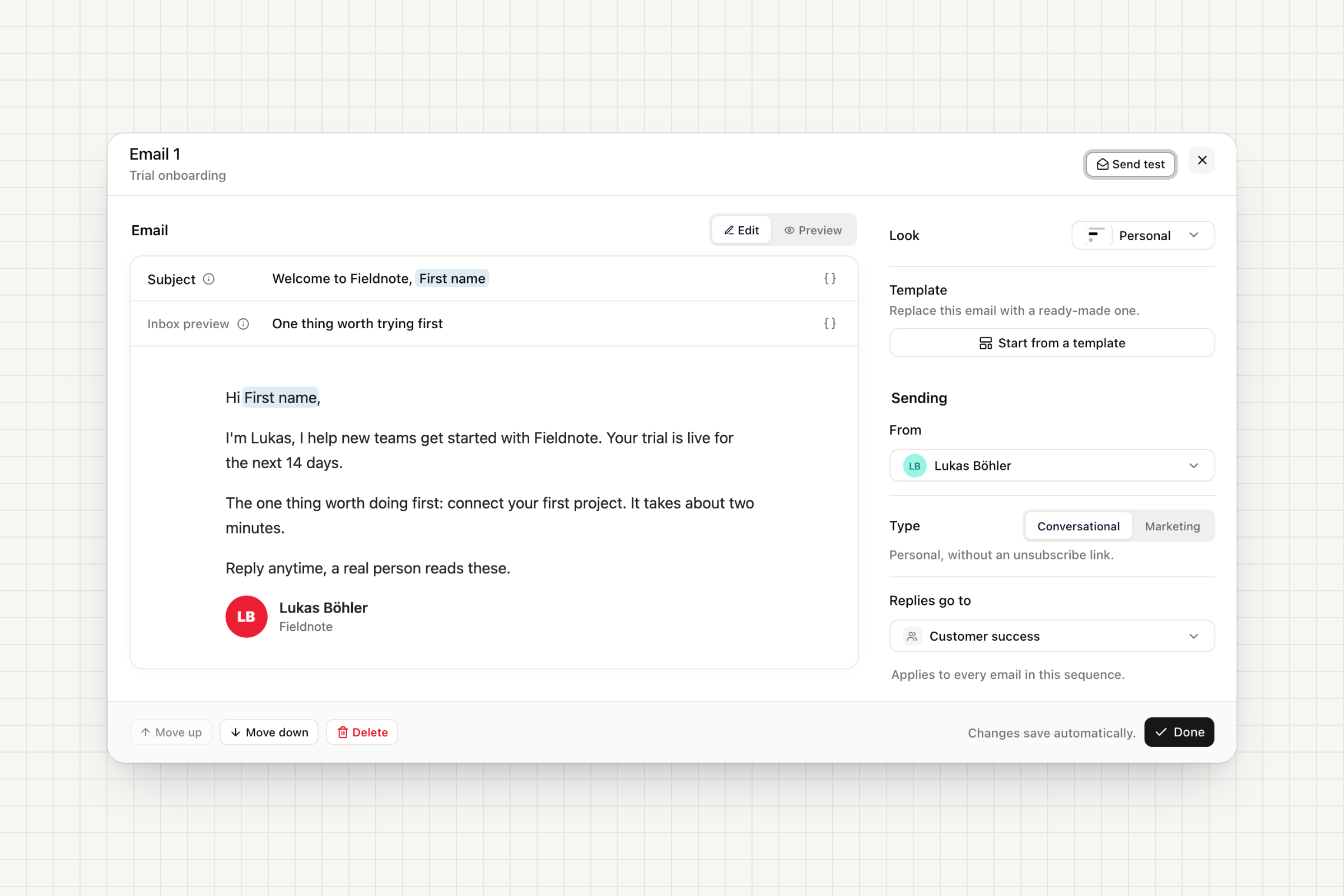
Emails open in the same composer you know from Outreach emails.
Personal variables: insert the first name or any contact field as a chip, with a fallback for people who don't have one.
Templates and Send test: start from a ready-made email, preview it and send yourself a test before it goes out.
Conversational or marketing: conversational emails go out one to one, without an unsubscribe link, and a reply always stops the sequence. Marketing emails carry an unsubscribe link.
Replies go to: the sender, a teammate or a team. Replies land in your inbox as normal conversations.
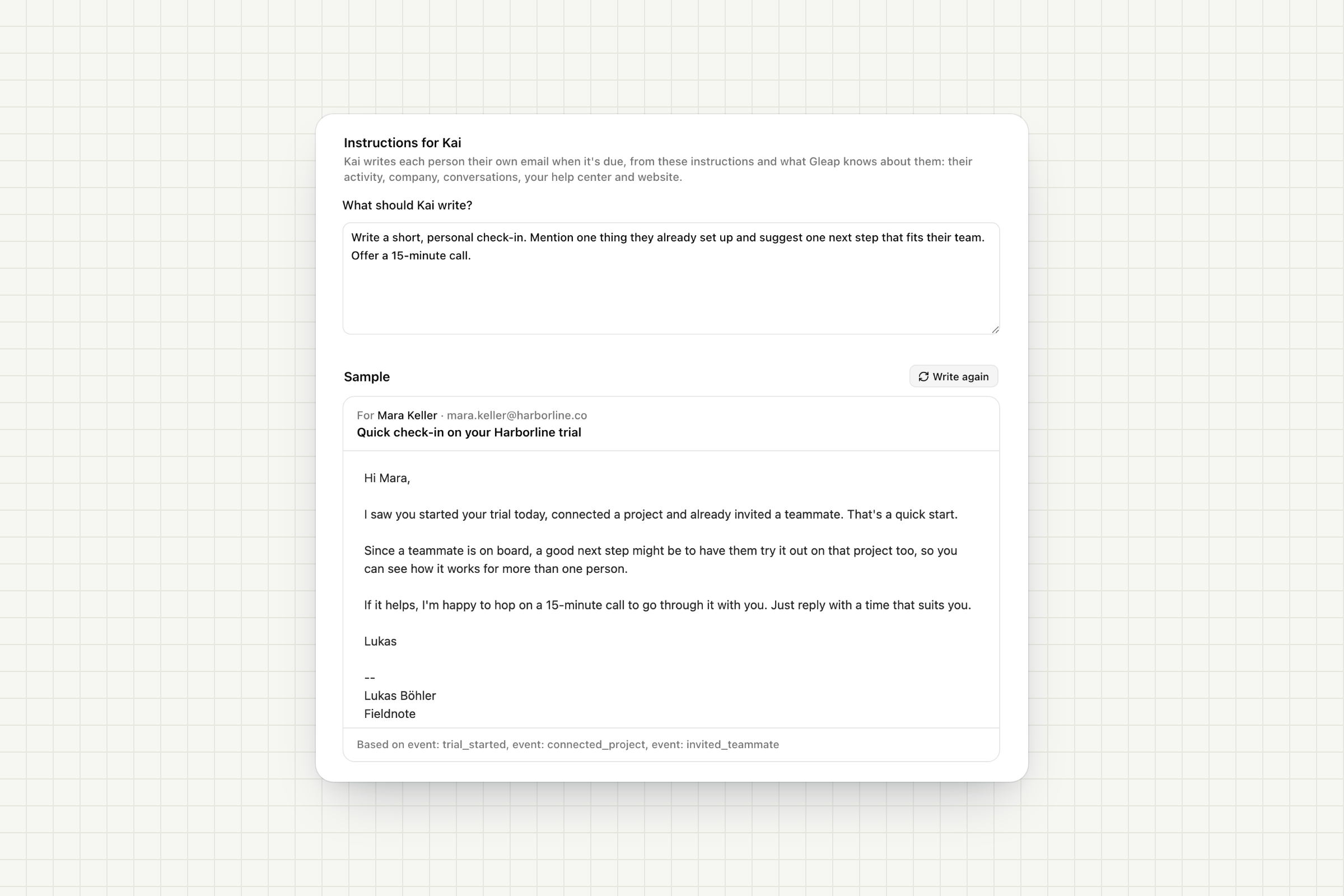
Switch an email to Written by Kai and tell Kai what to write. When the step is due, Kai writes each person their own subject and message from what Gleap knows about them: what they did in your product, their company, past conversations, your help center and website.
Write a sample: see the email Kai writes for a real contact before anything goes out, and what it is based on.
A safety net: when Kai has nothing specific to say about someone, they get the email you wrote, or the step is skipped for them.
Billing: Kai-written emails are billed as AI usage, like Kai-written Outreach emails.
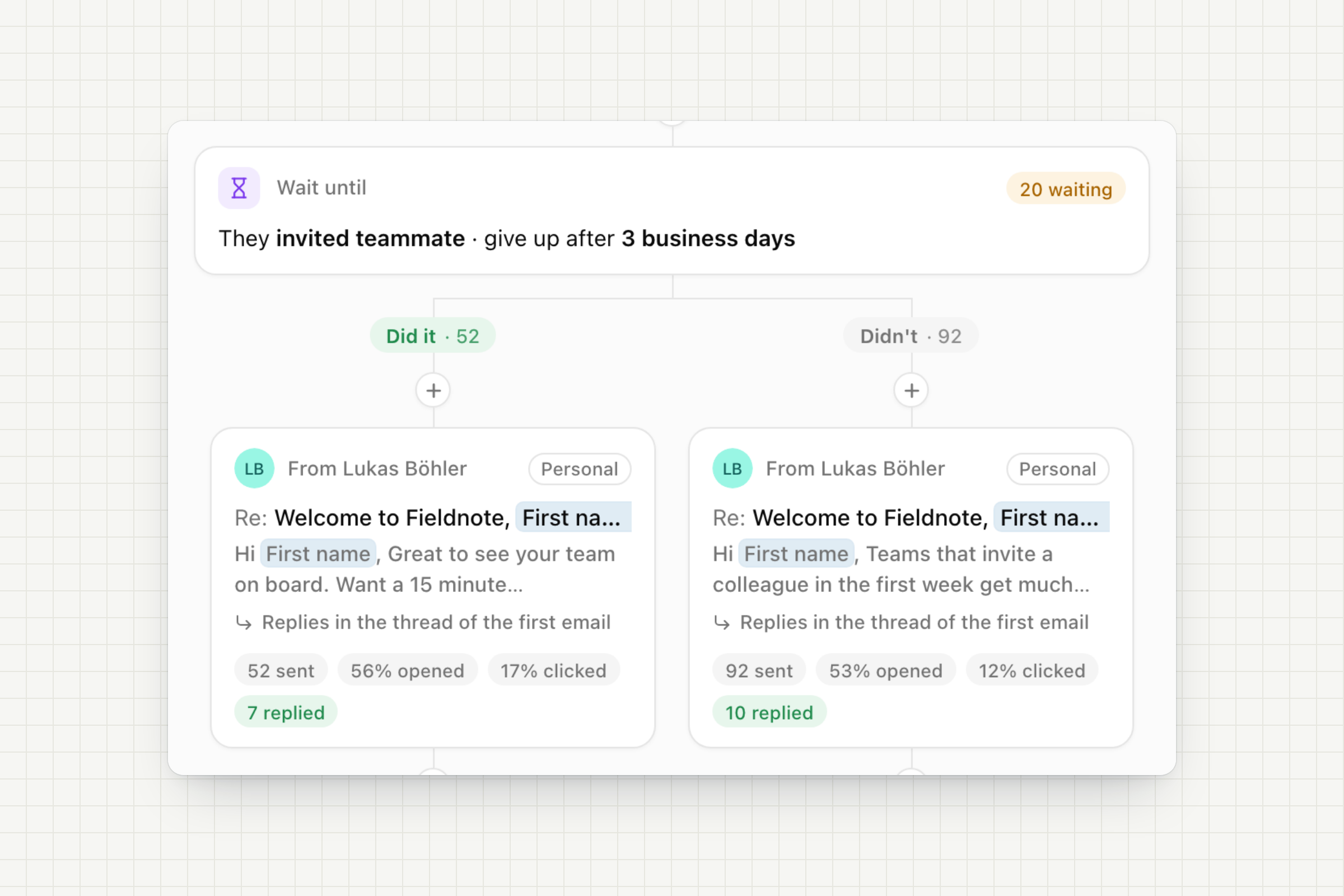
Only nudge the people who need it.
Wait until: wait until a contact does something, like inviting a teammate, up to a time limit. Then the sequence splits into Did it and Didn't, each with its own steps.
If / else: check something about the contact right now, like their plan or a tag, and send them down Yes or No.
Numbers on every step: see how many people are waiting, how many took each path, and how many opened, clicked and replied to each email.
Starts when: an event your app tracks happens, a contact is created, or you add people yourself. Narrow it down with audience filters and decide whether people can join again.
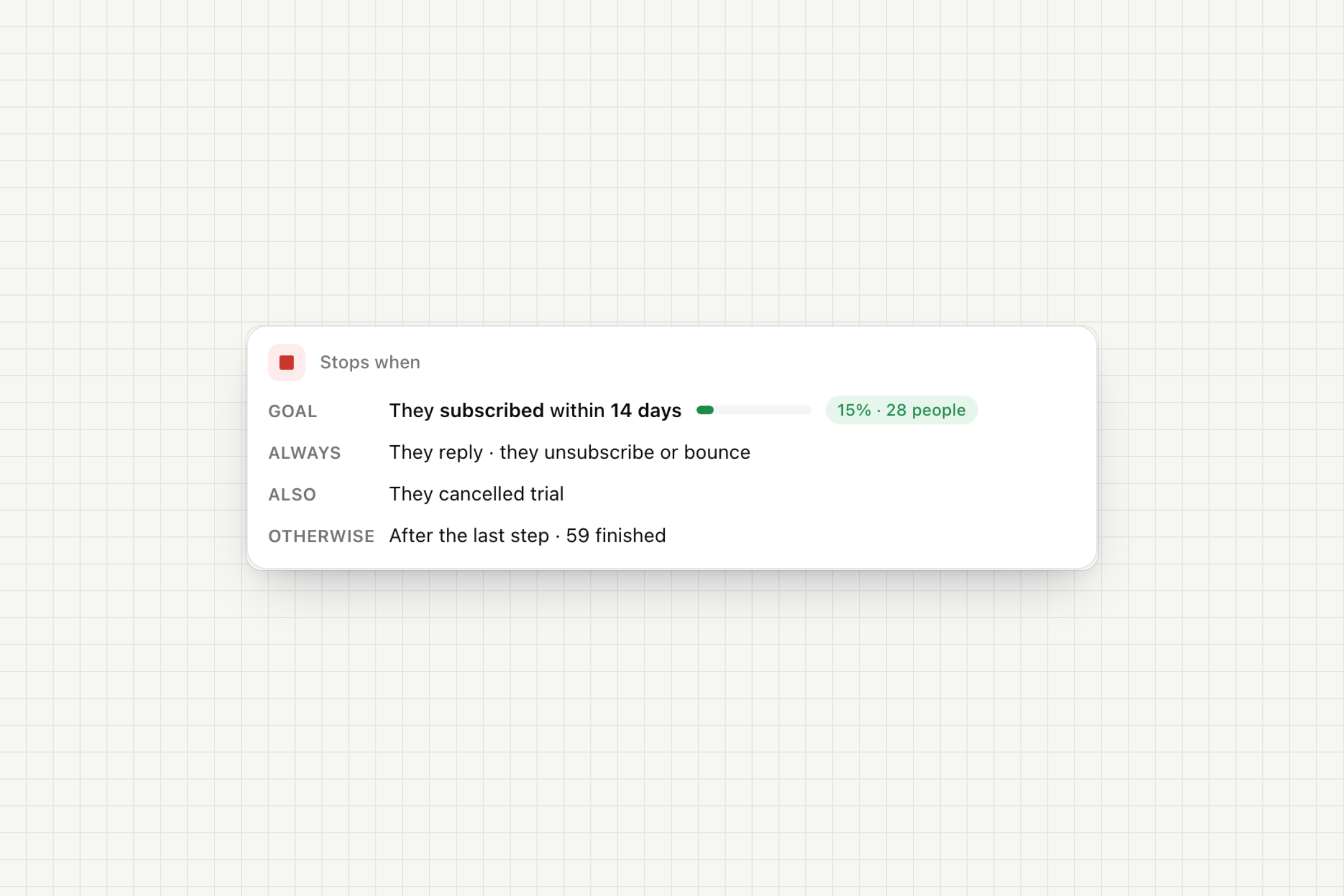
Goal: for example "subscribed within 14 days". Gleap counts who reached it and can stop the sequence for them, so nobody gets "your trial ends" after paying.
Stops on reply: a reply to the sequence's own email or chat ends it. Optionally, also stop when they contact you about anything else. Out-of-office replies pause the sequence until they're back.
Exit rules: stop when an event happens, like a cancelled trial, or when their contact data matches a filter. Unsubscribes and bounces always stop it.
Sending hours: only send on the days and hours you choose, in your time zone. Messages due outside those hours wait for them.
Draft, then publish: changes to a live sequence are saved as unpublished changes. Publish them when you're ready, or discard them.
Preview as: see every email the way a specific contact would, with their data filled in.
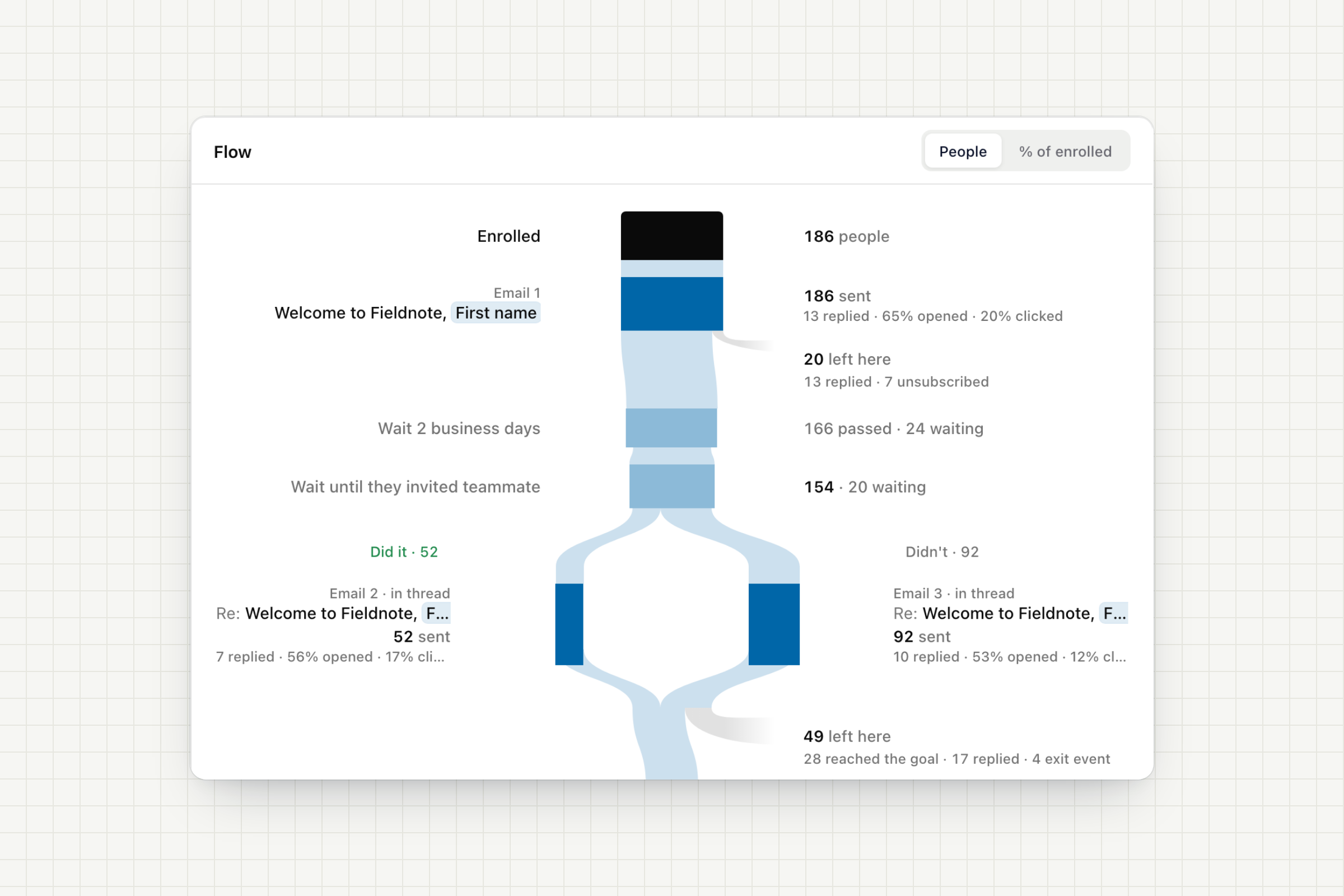
Summary: enrolled, replied, finished, reached the goal and emails sent with their open rate.
Flow: a chart of how people moved through every step and path, and where they left: they replied, reached the goal, unsubscribed or met an exit rule.
Per email: sent, replied, opened and clicked for every email. Opens and clicks are tracked for the Personal and Company looks.
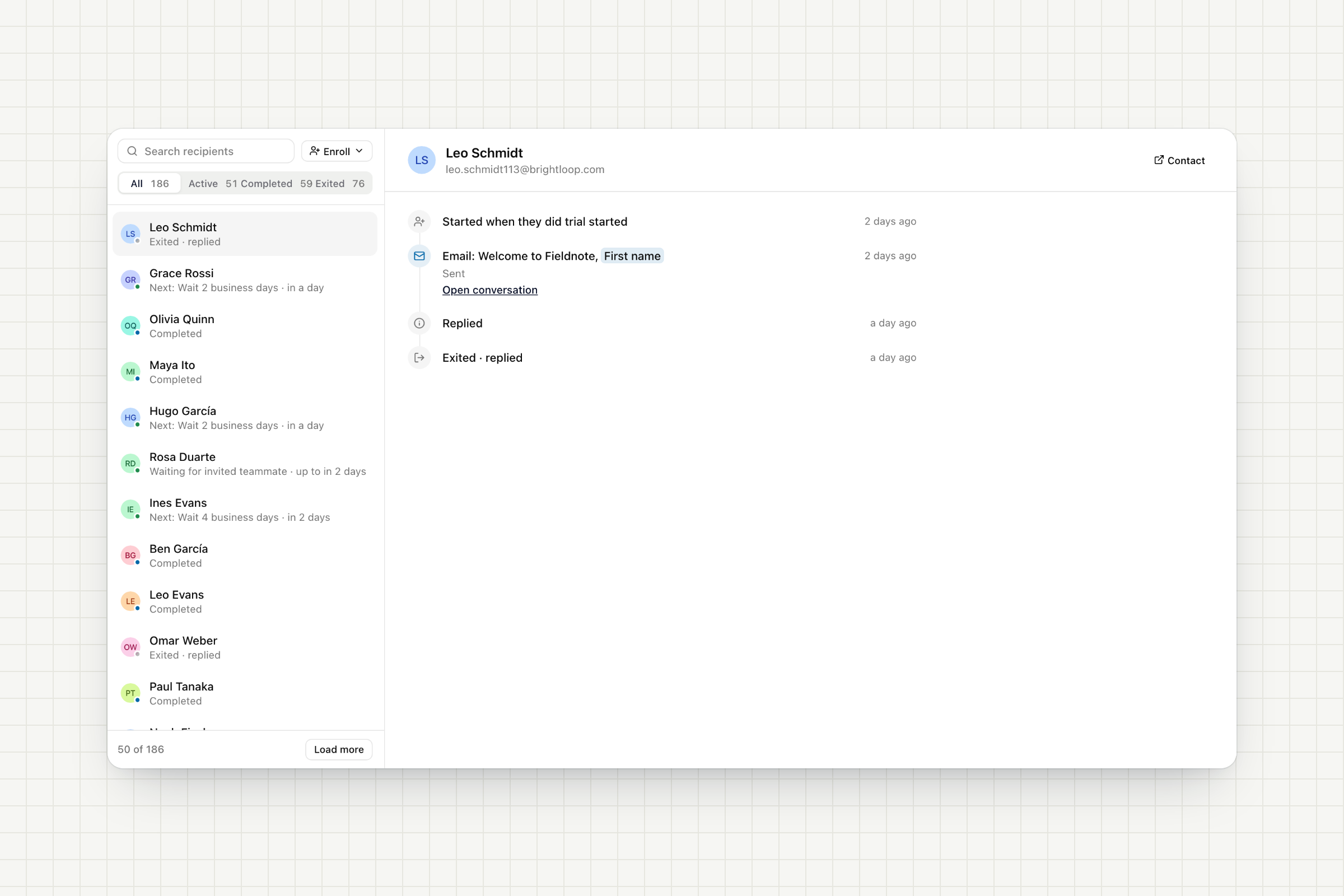
The Recipients tab lists everyone in the sequence by status: active, completed or exited. Open anyone to see their timeline, what they got and when they replied, with a link to the conversation. Pause, resume or remove people from the sequence at any time.
By hand: from the Recipients tab or from the contact's profile, which also shows every sequence they're in.
A whole segment: enroll everyone who matches your audience filters at once, up to 10,000 contacts.
From workflows: the Enroll in sequence action works in conversation, pipeline and survey workflows. Enroll a contact when their deal moves to a stage or when they answer a survey.
From pipelines: select contacts on a pipeline board or table and enroll them in one go. Cards and rows show each contact's sequence status.
Claude, ChatGPT, Cursor and any other AI agent can build and run sequences through the Gleap MCP server.
Build: "Build me a trial sequence: welcome now, nudge after 3 business days if they haven't invited a teammate, stop when they subscribe." The agent writes the emails, waits, paths and rules.
Check: it previews the emails for a real contact and sends you a test.
Launch: once you say so, it turns the sequence on and enrolls contacts.
Learn: it reads the results and answers questions like "Where do people drop off?"
Sequences are available on the Team, Pro and Enterprise plans.
Open Outreach → Sequences to start from a template.